Your applicant tracking system may already hold the requisitions, candidate history, approvals and reporting your team depends on. If recruiters need more help with sourcing, matching, screening coordination or scheduling, replacing that system is not the only option.
The practical approach is to keep the ATS as the system of record and add AI recruiting tools around it for specific, verified workflows. The key is not whether a vendor says it integrates with your ATS. It is which records the tool can read, what it can write back, what needs recruiter approval, and how errors are handled.
This guide explains how corporate talent acquisition teams can evaluate AI recruiting with an existing ATS, including the questions to ask about data flows, governance, implementation and the Ninjahire–ClearCompany relationship.
Short answer: You can add AI recruiting capabilities without replacing your ATS when the tools support the specific workflows you need and the integration, permissions, data handling and oversight have been validated. Start with one role family, define the system of record for each data type, test the exact read/write operations, and measure results against a baseline.
Why Corporate TA Teams Add AI Around an Existing ATS
An ATS often plays a central role in a company's hiring process. Depending on the product, edition and configuration, it may manage job requisitions, applications, interview stages, approvals, candidate communications and reports. Many organizations have also built internal processes around it.
At the same time, a recruiting team may want more capacity in particular parts of the workflow. Examples include finding relevant people for hard-to-fill roles, reviewing previous applicants, organizing screening information, coordinating candidate conversations or reducing manual scheduling work. Some ATS products already offer parts of this functionality; others rely on additional tools or configured workflows.
The question is therefore not “Does our ATS do everything?” It is “Where is the measurable gap, and what is the lowest-risk way to address it?”
- Sourcing: recruiters need to find people beyond the applicants already in an active requisition.
- Matching: teams want a clearer way to compare job-related requirements with evidence in a candidate profile.
- Coordination: screening steps, follow-ups and scheduling can create repetitive work when they are handled across disconnected systems.
- Visibility: recruiters need to know what an automated tool did, what is awaiting review and whether the ATS record reflects the latest activity.
These are workflow problems to investigate, not proof that every ATS is missing a feature. Map the current process before choosing a tool. If sourcing is the gap, see our practical guide to AI sourcing tools. If you have a large existing database, our guides to candidate rediscovery software and rediscovering candidates in your ATS cover a related workflow.
System of Record vs. AI Execution Layer
A system of record is the designated source of truth for a particular type of information. In many recruiting environments, the ATS is the authoritative place for requisitions, application history, candidate stages and official recruiting activity. Your own configuration and policies determine which system owns each field.
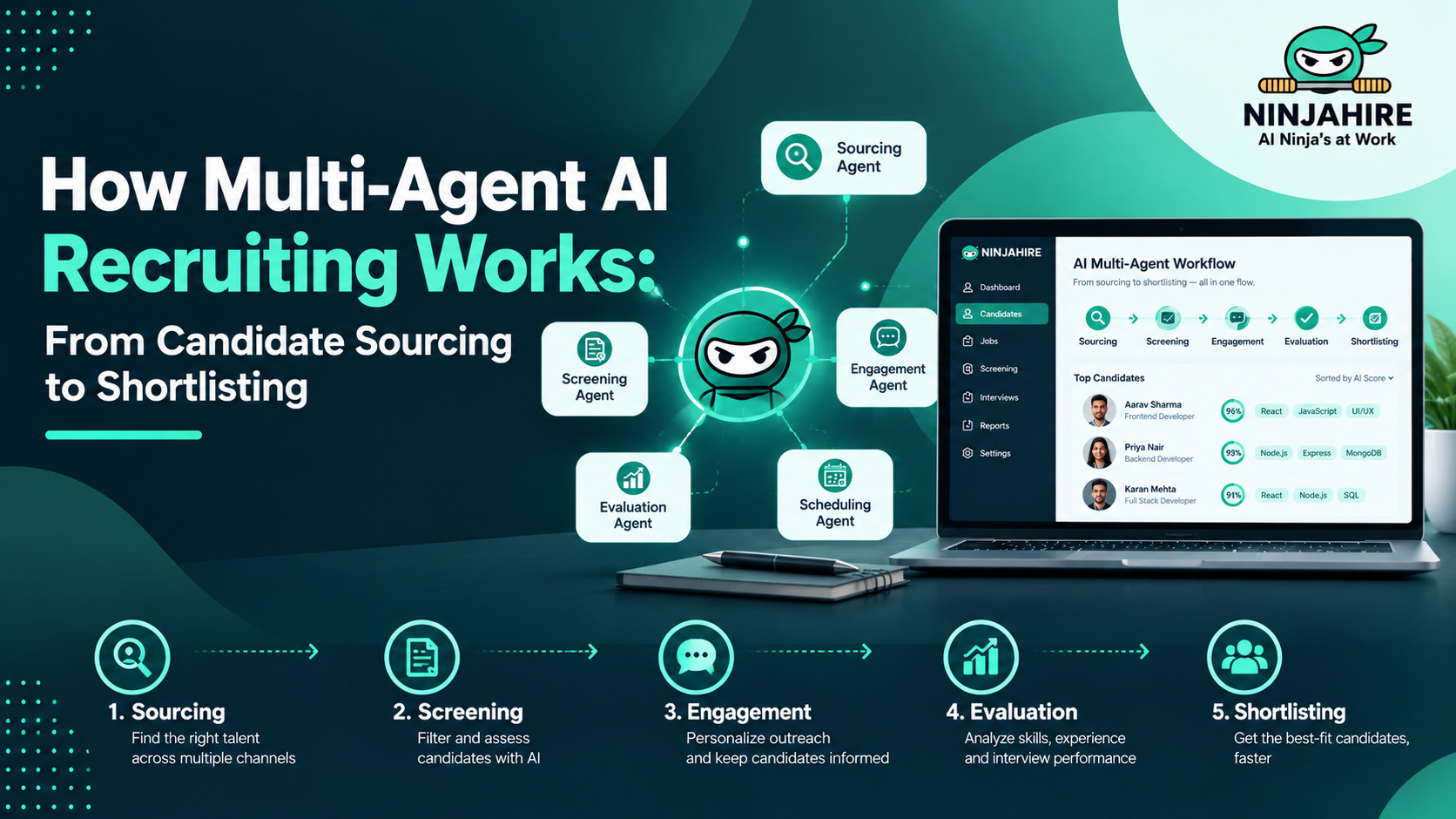
An AI execution layer is a connected tool that performs defined tasks around that record. Depending on what has actually been implemented, it might retrieve candidate information, rank or match profiles against job-related criteria, draft summaries, support outreach or coordinate scheduling. These capabilities should not be assumed simply because a product uses AI.
| Area | Typical ATS responsibility | Possible AI-tool responsibility | Decision to make |
|---|---|---|---|
| Requisition | Approved job details and status | Use approved requirements to support search or matching | Which fields are authoritative, and how are changes synced? |
| Candidate record | Official profile, application history and stage | Retrieve permitted data or propose updates | Can the tool write data, or does a recruiter need to approve it? |
| Evaluation | Configured workflow and recorded decisions | Organize job-related evidence for review | What evidence supports a recommendation, and who makes the decision? |
| Activity | Official notes, statuses and audit history, where supported | Generate a summary or event that may be recorded back | Is write-back supported, traceable and tested? |
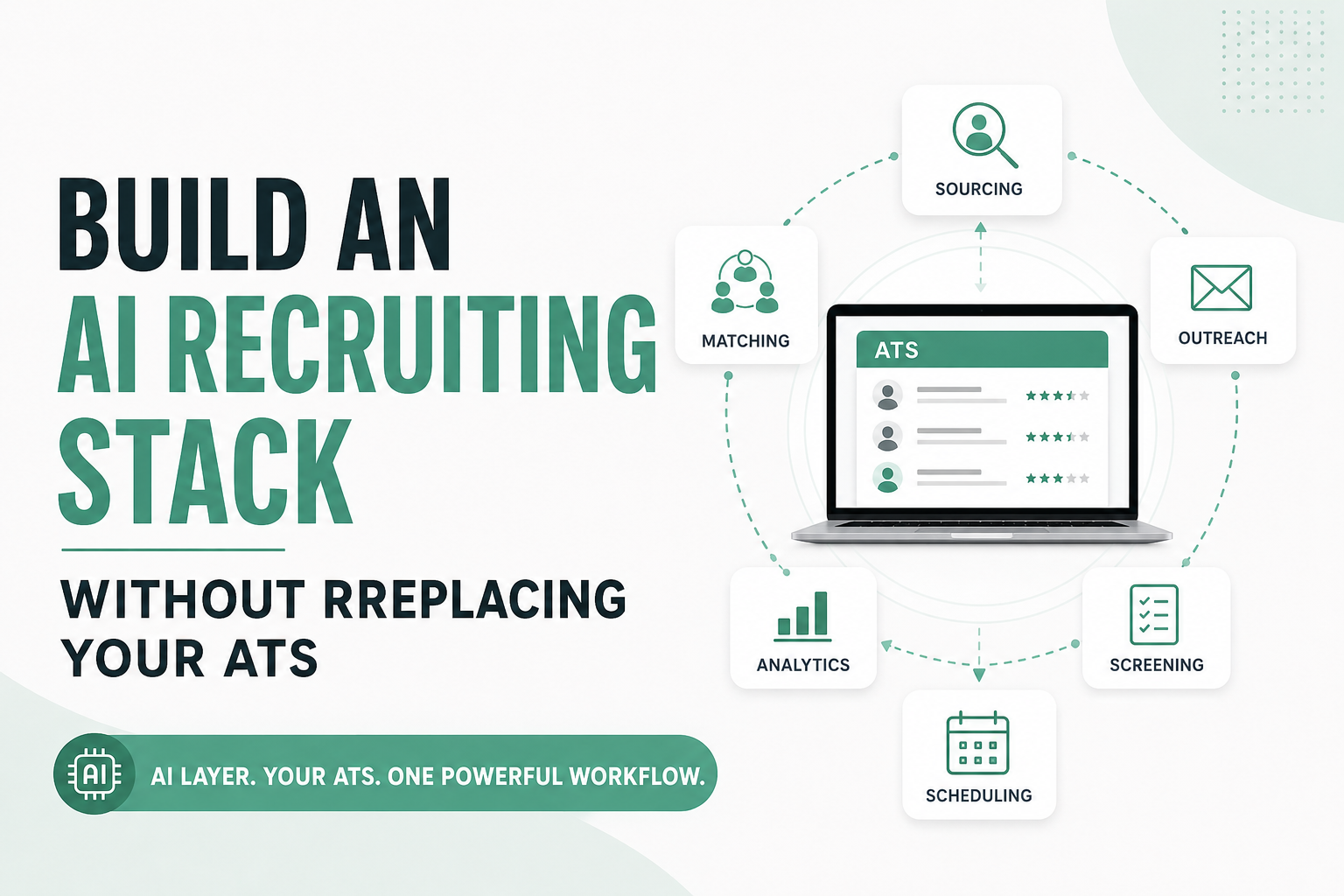
Illustrative example: a recruiter opens an approved engineering requisition in the ATS. A connected tool retrieves the allowed job details and candidate records, identifies profiles that appear to meet defined criteria, and presents the evidence for recruiter review. If the integration supports it, an approved action may then be written back to the ATS. If write-back is not supported, the workflow needs a clearly defined manual step. This is an example architecture, not a claim about a specific customer deployment.
How Data Should Move Between an ATS and AI Recruiting Tools
Integration quality is determined by the individual operations, not by a broad “connected” label. Ask vendors to demonstrate the exact workflow using a test environment and the same fields your team expects to use.
Illustrative architecture only. It does not confirm that a particular ATS connector supports every data flow shown.
1. Requisition intake and updates
Confirm how the AI tool receives job title, location, required qualifications, seniority, employment type and other approved criteria. Ask what happens when the hiring manager or recruiter changes a requirement. A stale job description can produce stale recommendations, even if the matching model itself works as intended.
Verify: which fields are mapped, whether updates are event-driven or scheduled, how quickly changes appear, and which system owns the final job criteria.
2. Candidate search and retrieval
Determine whether the tool can search the ATS database, only access candidates explicitly sent to it, or use another source. Ask whether access is limited by role, requisition, geography or other permissions. A product's ability to search public profiles does not prove it can retrieve private ATS records.
Verify: data sources, authorization, candidate matching identifiers, search scope and whether the tool stores a separate copy of candidate data.
3. Matching and recommendation evidence
A useful recommendation should connect to job-related criteria, not merely provide a score without context. Ask the vendor to show which profile details support a match, how missing information is treated, and how recruiters can challenge or correct an inaccurate result. Matching should assist review rather than silently determine who advances.
Verify: the criteria used, evidence shown to recruiters, how the system handles incomplete or conflicting records, and how changes to job requirements affect recommendations.
4. Screening questions and summaries
Distinguish administrative support, such as organizing answers or summarizing a conversation, from evaluating candidates or making employment decisions. Confirm whether questions are configurable, whether answers are stored, who can review them and whether the result is written to the ATS.
Verify: the exact question flow, record location, retention, accessibility and the human approval point before any consequential status change.
5. Outreach and scheduling
Ask which system sends communications, where consent and opt-out preferences are respected, and how replies or scheduling changes become visible to recruiters. A calendar connection alone does not prove that candidate-stage changes or interview feedback are synchronized to the ATS.
Verify: sending identity, approved templates, opt-out handling, calendar permissions, time-zone behavior, rescheduling, and the activity history available to the recruiter.
6. Stage updates, notes and write-back
Write-back means information from the connected tool is saved to the ATS. It may be limited to certain fields or actions, or may require recruiter confirmation. Never assume that two-way sync exists because one direction works.
Verify: which fields can be created or updated, whether users approve each write, how the update is attributed, and whether the audit trail shows the source and timestamp.
7. Duplicates, failures and conflicts
Integrations fail in ordinary ways: a required field is missing, permissions change, an API request times out, two systems update the same record, or a duplicate profile is created. Ask to see what happens when an update fails, not just the happy path.
Verify: duplicate detection, matching identifiers, retries, error queues, conflict rules, alerts, manual recovery and how administrators can reconcile records without losing history.
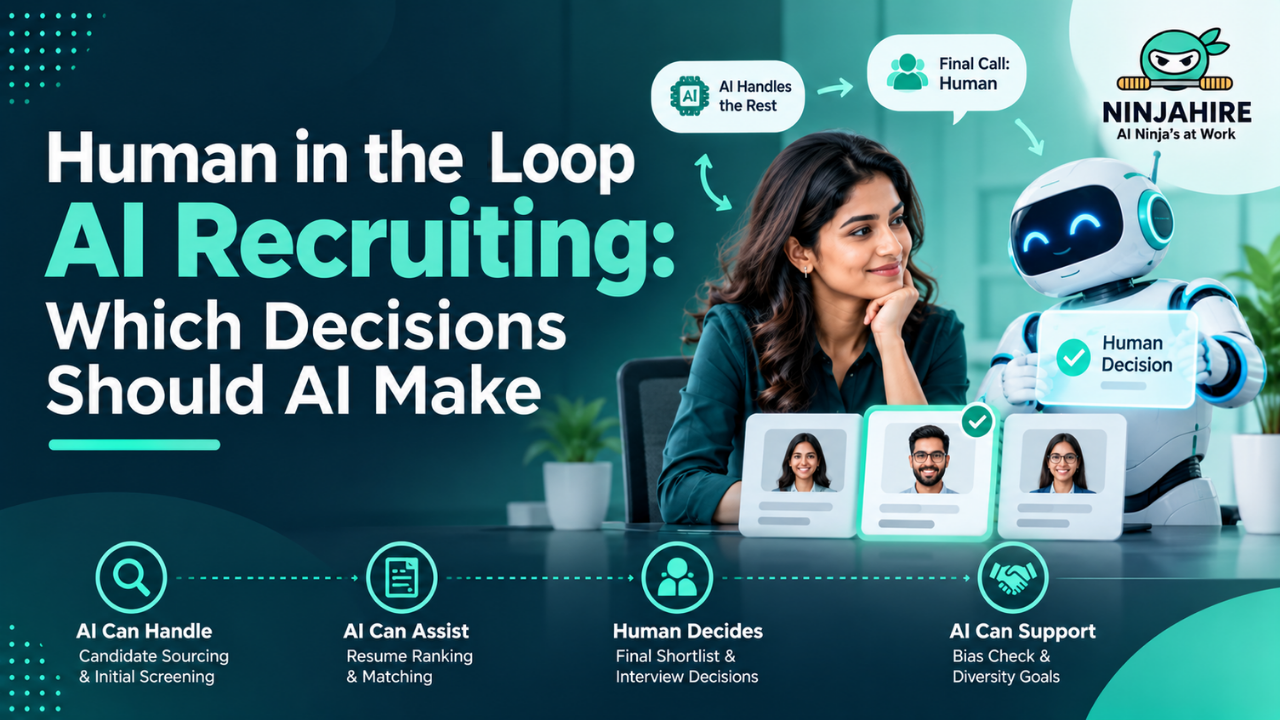
What Recruiters and Hiring Managers Still Own
Automation should make the workflow easier to manage, not blur responsibility for hiring decisions.
- TA operations: define the workflow, access rules, data mapping, success measures and exception process.
- Recruiters: validate relevant matches, communicate with candidates, review generated summaries, correct data and handle exceptions.
- Hiring managers: define job-related requirements, review relevant evidence, participate in interviews and make decisions under the company's hiring process.
- HR, legal and security teams: review applicable obligations, privacy terms, access controls, vendor risk and governance.
- Technology vendors: document product behavior, supported operations, limitations, incident handling and changes to the integration.
Human review is important, but it does not by itself guarantee fairness, accessibility or legal compliance. The organization still needs a defensible process, appropriate testing, clear accountability and a way to investigate problems.
Security, Privacy and AI Governance
Recruiting systems hold personal information, employment history and potentially sensitive interview or assessment data. Review the specific AI vendor and integration scope rather than relying on a general statement about the ATS provider's security.
Procurement checklist
- Access: Does the connection use least-privilege permissions, role-based access and appropriate authentication?
- Data protection: What data is transferred, where is it stored, and what encryption controls apply in transit and at rest?
- Retention and deletion: How long are candidate data, prompts, transcripts and derived summaries retained? Can they be exported or deleted?
- Model providers: Which subprocessors receive data? Is customer or candidate data used to train models, and what contractual terms govern that use?
- Auditability: Can the company review who accessed data, what the tool did, what changed and when?
- Reliability: What is the incident response process? Who receives alerts about failed syncs or unauthorized access?
- Fairness and accessibility: What validation is performed, how can candidates request accommodations, and how are potential adverse impacts reviewed?
- Contractual scope: Which entity is responsible for each data flow, security obligation, retention rule and incident notification?
Ask for the relevant security reports, scope statements, data-processing terms and subprocessor list. A certification held by one provider does not establish that a connected vendor has the same certification or that the entire workflow is covered by the same audit.
In the United States, the EEOC's AI and employment resources explain how existing employment discrimination laws may apply to AI-enabled employment decisions. In New York City, Local Law 144 may apply to covered automated employment decision tools and includes requirements concerning bias audits, public information and notices. Review the NYC Department of Consumer and Worker Protection guidance for the current scope and requirements. The NIST AI Risk Management Framework is a voluntary resource for organizing AI risk management; it is not a legal certification.
These sources are starting points, not legal advice. Applicability depends on the tool, how it is used, the employer and the relevant jurisdiction. Ask counsel to review the actual workflow.
Example: A Controlled 30-Day Corporate TA Rollout
The following is an illustrative rollout plan, not a Ninjahire customer case study or a promise of results. Start with one role family and a limited group of recruiters so the team can understand what changes before expanding.
| Period | Work | Evidence to collect | Exit check |
|---|---|---|---|
| Week 1 | Map the current process, choose a role family, document the baseline and define success criteria. | Current time per qualified candidate, time to shortlist, stage conversion, candidate complaints and duplicate rate where available. | Named workflow owner, baseline and agreed job-related criteria. |
| Week 2 | Validate permissions, field mapping, test records, sync direction, errors and retention. | Test cases, successful and failed writes, audit records, data-flow diagram and security review. | Critical operations demonstrated and unresolved risks documented. |
| Week 3 | Run a recruiter-supervised pilot. Require review for candidate recommendations and consequential actions. | Recruiter adoption, review time, match quality, candidate feedback and exception volume. | Recruiters can explain and safely operate the workflow. |
| Week 4 | Compare results with baseline, inspect failures and decide whether to continue, change or stop. | Workflow outcomes, integration reliability, candidate experience, costs and risk findings. | Written go/no-go decision and a plan for remaining gaps. |
Measures worth tracking
- Recruiter time per qualified candidate: total relevant recruiter time divided by the number of candidates meeting the team's agreed qualification definition.
- Time to shortlist: elapsed time from an agreed starting event to a reviewed shortlist, measured consistently before and during the pilot.
- Screening-to-interview conversion: candidates progressing to interview divided by candidates screened, with the same stage definitions in both periods.
- Candidate response rate: responses divided by delivered outreach, with the response window and exclusions defined.
- Integration reliability: successful operations divided by attempted operations, alongside the number and severity of unresolved failures.
- Data quality: duplicate rate, missing required fields and corrections needed after automated activity.
Use your own baseline and observed pilot data. Segment results by role type and workflow where possible, and check for changes in candidate experience or adverse impact. Do not treat faster processing as success if data quality, fairness, recruiter trust or candidate experience deteriorates.
AI Recruiting Integration Capability Matrix
Use this matrix during vendor evaluation. The status shown for Ninjahire and ClearCompany is intentionally conservative: public materials establish a relationship, but they do not publicly verify every specific integration operation below. “Not publicly verified” means the available public evidence is insufficient; it does not mean the capability is unavailable.
| Capability | What to confirm | Status from public evidence | Demo acceptance test |
|---|---|---|---|
| Requisition intake and updates | Fields, direction, update frequency and handling of changed requirements | Not publicly verified | Edit a test requisition and confirm when and where the change appears. |
| Candidate search and retrieval | Which ATS records are accessible and how permissions are enforced | Not publicly verified | Search a permitted test set and confirm that restricted records remain inaccessible. |
| Candidate record creation or updates | Writable fields, approval steps, identifiers and audit trail | Not publicly verified | Create or update a test record and inspect attribution and field values. |
| Skills matching and recommendations | Criteria, source evidence, treatment of missing data and recruiter review | Product capability and ATS data flow need confirmation | Review a sample recommendation and trace each reason to profile evidence. |
| Screening answers and summaries | Question configuration, storage, retention and write-back | Not publicly verified | Complete a test screen and inspect the stored record and approval path. |
| Outreach and engagement activity | Sending identity, opt-outs, replies and activity logging | Not publicly verified | Send a test message and trace the event through the workflow. |
| Interview scheduling and rescheduling | Calendar access, time zones, rescheduling and ATS visibility | Not publicly verified | Reschedule a test interview and verify all affected records. |
| Stage, disposition and notes | Who can update which fields and whether approval is required | Not publicly verified | Attempt an approved and a restricted change; inspect the audit trail. |
| Sync frequency, webhooks and errors | Event triggers, polling, retries, alerts and conflict rules | Not publicly verified | Trigger a failure in a safe test and demonstrate recovery. |
| Duplicate handling | Matching logic, merge rules and preservation of history | Not publicly verified | Submit a controlled duplicate and inspect how it is flagged. |
Ask the vendor to identify each capability as generally available, configurable, limited, planned, unsupported or not publicly documented. Record the product version, customer configuration and evidence from the demo. Do not accept a roadmap item as a currently available feature.
AI Recruiting With ClearCompany: What the Relationship Means
Public materials provide evidence of a Ninjahire–ClearCompany relationship. ClearCompany's published AI addendum names Ninjahire among third-party AI providers, and Ninjahire describes a ClearCompany distribution partnership. These sources are relevant context, but they do not, by themselves, establish the production status of every integration operation or prove that every organization in a partner ecosystem is a Ninjahire customer.
For buyers, the useful next step is to ask for a demonstration of the exact workflow and written confirmation of its current availability. Confirm which ClearCompany product or configuration is involved, what customer permissions are required, which fields move between systems, and whether the feature is in production, limited release or still being validated.
Product walkthrough
Watch the Ninjahire demo
Use the walkthrough as a starting point for product questions. During evaluation, ask the team to show the ATS-specific data flow, permission model, and the error and approval paths relevant to your workflow.
If the embedded player does not load, open the demo on Loom.
Before making a specific ClearCompany integration claim in procurement or marketing materials, obtain partner-approved technical documentation or a demonstration that confirms the operation and its production status. Also request Ninjahire's own security documentation and verify its scope directly. ClearCompany's security statements should not be treated as proof of a separate vendor's controls.
Useful primary references include the Ninjahire partnerships page, the Ninjahire product site and ClearCompany. Public descriptions should be read alongside the actual contract, product configuration and partner-approved technical evidence.
Which Integration Model Fits Your Existing ATS?
There are several ways to connect recruiting tools. None is automatically best for every company. Choose based on the ATS's supported interfaces, the sensitivity of the data, the reliability the workflow requires and who will maintain the connection.
| Approach | When it may fit | Trade-off to examine |
|---|---|---|
| Native connector | The ATS and AI vendor maintain a supported connection for the needed workflow. | Check the exact fields, events, supported editions and limitations. “Native” does not necessarily mean every field syncs in both directions. |
| API or webhook | The required workflow needs custom field mapping or event-driven updates supported by the ATS. | Requires technical ownership, monitoring, version management and clear failure recovery. |
| Integration platform or middleware | A company needs to connect several systems or orchestrate steps across tools. | Adds another service, permissions layer and potential failure point. Confirm who owns troubleshooting. |
| File import/export | A low-volume pilot or a workflow without a supported direct connection. | Manual steps, stale data and duplicate records can make it unsuitable for high-volume or time-sensitive activity. |
| Browser extension or interface automation | A narrow use case where the vendor can explain supported behavior and maintenance. | Changes to the user interface can break the workflow. Assess whether it is appropriate for a business-critical process. |
During evaluation, rate integration depth for your use case rather than giving a vendor one score for everything. A simple internal scale can help: 0 no connection; 1 manual file transfer; 2 one-way data flow; 3 limited two-way updates; 4 workflow events and controlled write-back; 5 broad, verified bidirectional workflow coverage with reliable monitoring. This is a practical buyer rubric, not an industry standard. Score only what you have confirmed.
When Should You Replace the ATS Instead?
Keeping the current ATS is not always the right decision. AI alone is usually a weak reason to migrate, but a system that blocks essential workflows may justify a broader review.
Consider an ATS replacement assessment when the current platform cannot support necessary workflows, the data cannot be accessed or exported reliably, integrations are genuinely inadequate, recruiters routinely work around the system, required controls are missing, or maintenance and licensing costs no longer match the value delivered. A planned HR technology migration for other reasons may also change the decision.
Compare the full cost of both paths: licenses, implementation, integration work, data migration, training, disruption, ongoing administration and the risk of losing useful history. If the existing ATS is adequate and the gap is narrow, a small integration may be easier to test. If the ATS itself is the constraint, adding more tools can simply create more complexity.
Build, Buy or Integrate?
| Option | May make sense when | Main consideration |
|---|---|---|
| Build | The workflow is distinctive and the company has engineering capacity to support it. | Ongoing maintenance, model changes, monitoring and ownership do not end at launch. |
| Buy | The need is common and an available product demonstrates the required workflow. | Check fit, vendor dependency, data terms, implementation costs and exit options. |
| Integrate | The existing stack works reasonably well but one or more steps create measurable friction. | The connection itself must be reliable, supportable and appropriately governed. |
| Replace the ATS | The ATS is the underlying constraint, not merely the absence of one AI feature. | Migration and change-management costs can be substantial; include them in the business case. |
How to Build a Credible Business Case
Time saved is not automatically financial value. If a tool reduces manual work, the business case should explain how that recovered capacity will be used and what it costs to operate the new workflow.
One simple calculation is:
Net value over a defined period = measured value created − total cost over the same period.
For a percentage return calculation, use: (value created − technology and implementation cost) ÷ technology and implementation cost × 100. Define which benefits count, avoid double-counting recruiter time and additional output, and use observed pilot data rather than vendor estimates.
Potential inputs include recruiter hours actually redirected to qualified candidate work, implementation and administration time, license and usage fees, integration support, and changes in qualified-candidate throughput or stage conversion. Keep assumptions visible. If the pilot is too small to support a reliable financial conclusion, report the operational findings and extend the measurement period instead of manufacturing an ROI figure.
How to Compare AI Recruiting Platforms for Internal TA
“Best” depends on the workflow and your existing systems. Rather than relying on a universal ranking, compare vendors by the job you need done and the evidence they can demonstrate.
| Platform category | Potential fit | Questions to ask |
|---|---|---|
| ATS-native AI features | Teams seeking capabilities within their existing recruiting platform | Are the features included in our edition? What configuration and limits apply? |
| AI sourcing and matching | Teams that need help discovering or prioritizing relevant candidates | Which sources are used? Can recruiters inspect evidence? Can it access our ATS data? |
| Screening and candidate engagement | Teams with a defined, repeatable screening or communication workflow | How are candidate notices, accommodations, opt-outs and review handled? |
| Scheduling and coordination | Teams aiming to reduce administrative coordination | Which calendars and ATS fields are supported? What happens after a reschedule? |
| Broader recruiting execution platform | Teams evaluating several linked workflow capabilities together | Can the vendor demonstrate each needed operation, governance control and failure path? |
For each vendor, score the same test cases against your requirements. Include implementation effort, ongoing administration, data quality, support, total cost and the cost of managing exceptions. Do not compare a demonstrated production capability with another vendor's roadmap promise as if they were equivalent.
Questions to Ask Before Choosing an AI Recruiting Platform
- Which exact ATS products, editions and configurations are supported today?
- Can you show the integration in a test environment using our intended workflow?
- Which fields can the tool read, create or update, and in which direction?
- Which actions require recruiter approval before they are sent or written back?
- How often does data sync, and what triggers an update?
- How are duplicate candidates, conflicting changes and missing fields handled?
- Where can administrators see failed operations, retries and unresolved errors?
- Can a recruiter see the evidence behind a match or summary and correct it?
- How does the tool handle candidate opt-outs, accommodations and data deletion requests?
- Which subprocessors and model providers receive candidate or customer data?
- Is customer data used to train models, and where is that addressed contractually?
- What security reports are available, and which systems and services are in scope?
- What bias testing, accessibility review and ongoing monitoring are performed?
- What implementation work, internal owner and recurring costs should we plan for?
- What evidence will we review at the end of the pilot to decide whether to expand?
Frequently Asked Questions
Can you add AI recruiting tools without replacing your ATS?
Yes, if the tool supports the required workflow and the integration can safely access or update the necessary records. Validate the specific data flows, permissions and error handling before relying on them in production.
What is the difference between an ATS and an AI recruiting platform?
An ATS typically manages recruiting records and process stages. An AI recruiting platform may support tasks such as sourcing, matching, summarization or coordination. The distinction depends on the products involved, and many ATS platforms already include some AI features.
Can AI sourcing work with an existing ATS?
It can, but “works with” needs a precise definition. The tool might search the ATS, accept exported or selected records, or operate against a separate source. Confirm the permitted data access, supported fields and whether results are written back.
How should a company evaluate AI recruiting integrations?
Test each needed operation individually: requisition intake, candidate retrieval, matching, screening, scheduling, write-back, duplicates and error recovery. Ask for evidence of current availability and document any manual steps or limitations.
Does ClearCompany work with Ninjahire?
Public materials describe a Ninjahire–ClearCompany relationship, and ClearCompany's AI addendum names Ninjahire among third-party AI providers. Those public sources do not verify every integration operation or establish that every ClearCompany customer uses Ninjahire. Confirm your specific product configuration and required workflow with the vendors.
What security questions should corporate TA teams ask?
Ask about permissions, encryption, retention, deletion, subprocessors, model training, audit logs, incident response, security assurance scope, accessibility and bias testing. Review the documentation for every vendor involved in the data flow.
How can a TA team measure an AI recruiting pilot?
Set a baseline first. Track measures such as recruiter time per qualified candidate, time to shortlist, screening-to-interview conversion, response rate, duplicate rate, sync success and recruiter adoption. Review candidate experience and risk indicators alongside speed and productivity.
Start with one recruiting workflow
Before committing to a broader rollout, choose one role family, map the current process and define what the AI tool must read, change and report. Then validate those operations in a controlled pilot with recruiters involved in the review.
Ninjahire can be part of that evaluation. Ask for a walkthrough focused on your ATS environment, the workflow you want to improve and the integration details that need confirmation.
Watch the Ninjahire demoSources and Further Reading
Use these primary sources to validate product, search and governance details. Vendor capabilities and legal guidance can change, so confirm current documentation during procurement.
- Ninjahire partnerships for the company's public partner and integration descriptions.
- Ninjahire website for the current product description.
- ClearCompany for official product and company information. Request the applicable AI addendum, integration documentation and security materials directly.
- U.S. Equal Employment Opportunity Commission: Artificial Intelligence and employment.
- NYC Department of Consumer and Worker Protection: Automated Employment Decision Tools.
- NIST AI Risk Management Framework.
- Google Search Central: Creating helpful, reliable, people-first content.
- Google Search Central: AI features and your website.
Editorial note: The architecture, rollout plan and measurement examples are illustrative. No customer results or performance improvements are claimed. Specific Ninjahire–ClearCompany integration operations should be described as available only after the relevant product and partner teams confirm them.