Best Agentic AI Recruiting Platforms (2026–2027): Buyer’s Guide

October 28, 2026
Updated October 18, 2026 · A 2026–2027 buyer’s guide based on product capabilities documented at the time of review, not a forecast of 2027 releases.
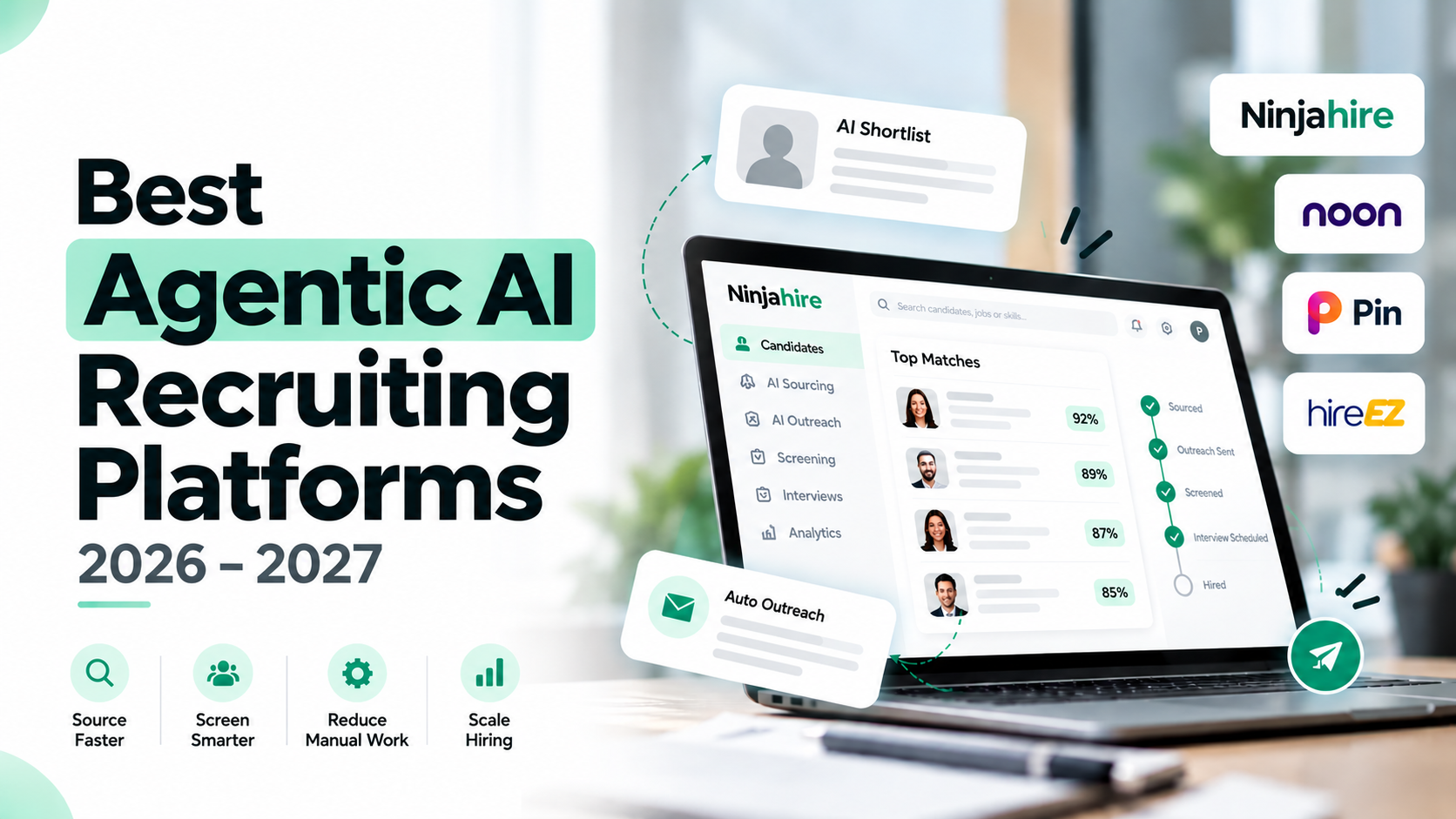
Quick answer: The best agentic AI recruiting platform depends on which recruiting tasks you need to automate. Compare platforms by whether they execute sourcing, outreach, screening and coordination; which actions require human approval; how they integrate with your ATS; and what the complete workflow costs. This guide compares Ninjahire, Noon AI, Pin and hireEZ using a consistent buyer-focused framework. “Best” is use-case dependent, not a universal performance ranking.
At a glance: Compare the four platforms · Compare pricing · Evaluate implementation risks
How we evaluated the platforms: This comparison draws on vendor product pages, pricing pages, integration documentation and the independent implementation/review sources cited in the article, reviewed for October 2026. Capabilities are identified as vendor-reported where appropriate. This is a desk-based comparison, not a hands-on benchmark; “not established” means the cited evidence does not confirm a capability, not that the product lacks it.
Explore Ninjahire: Autonomous AI Recruiter · AI Sourcing · Plans and pricing
Introduction to Autonomous AI Recruiting Platforms
For 2027 planning, start with a workflow question: which recruiting steps should software execute, and which should require a person's approval? That is more useful than asking whether a product contains AI. The cited material describes systems that connect sourcing, outreach, screening or coordination, but it does not establish fully unattended hiring.
Publisher disclosure: Ninjahire publishes this guide and is included as a product example. Vendor-reported capabilities are distinguished from independent observations and editorial interpretation.
What does "autonomous" mean in recruiting?
For this guide, an autonomous AI recruiting platform means software that executes multiple recruiting tasks from a role brief and configured instructions, rather than only generating content or evaluating an individual application. This is an editorial working definition, not a standardized product certification. It reflects the multi-stage workflows described in the available evidence.
The important distinction is between executing work and owning hiring decisions. For example, hireEZ's vendor-reported workflow accepts a plain-language role brief, clarifies requirements, searches external sources and existing ATS records, and returns ranked candidates, draft outreach and screening plans for approval. Execution and approval are separate parts of that description.
Ninjahire provides another concrete illustration. Its vendor-reported workflow interprets job requirements, searches connected ATS/CRM records, Ninjagraph and external job boards, and produces ranked shortlists with screening summaries. It also describes automated email, SMS and AI-phone outreach followed by configurable initial screening conversations. The evidence therefore supports classifying it as multi-stage recruiting automation, rather than screening-only software; autonomous hiring decisions are explicitly excluded.
Scope still matters. Pin's vendor-reported documentation describes automated email sequences, but says texting, calls and custom tasks are manual. A buyer should not interpret every channel listed in a workflow as an autonomous channel.
Why this matters for 2027 planning
Treat 2027 as a planning horizon, not evidence that every recruiting team will adopt autonomous systems. The useful buying question is where connected execution could remove manual handoffs while preserving necessary review.
The supplied product descriptions extend beyond candidate search. Noon AI reports sourcing, profile evaluation, personalized email/SMS sequences and a coordinator that responds to candidates and books interviews. Its inbound screening workflow also describes recruiter-controlled advancement or rejection into mapped ATS stages. These are vendor-reported capabilities, not verified productivity outcomes.
For staffing agencies and RPO operations, a useful evaluation scenario is a recruiter approving search criteria, reviewing a shortlist and handling exceptions rather than manually initiating every action. For corporate TA leaders, test where candidate advancement requires approval. For MSP/VMS program managers, ask whether the scope includes requisition and supplier coordination, not just candidate sourcing. Ninjahire's separate program-manager offering describes requisition automation, vendor communications, supplier briefings and rate-card queries as vendor-reported capabilities.
Integration deserves equal attention. In an independent TechServe Alliance account, RedStream Technology described access to its existing candidate database and integration with Tracker RMS as an implementation hurdle when using Noon. That observation makes database access a practical diligence item, not an assumed consequence of buying automation.
Start with an execution map
Before comparing feature lists, ask each vendor to demonstrate one representative requisition. Use the same brief and approval requirements throughout your evaluation. Record:
- Inputs: Which role requirements, candidate records and screening criteria must your team supply?
- Actions: Which steps execute automatically, which produce drafts, and which remain manual?
- Checkpoints: Who approves outreach, screening criteria and candidate advancement?
- Exceptions: What happens when a candidate declines, information conflicts or synchronization fails?
- Evidence: Can the vendor demonstrate the workflow and its system updates, rather than show only a feature label?
Agentic AI Recruiting Platforms: Capability Tiers
Use four capability tiers to organize the shortlist: approval-led assistance, sourcing-and-engagement execution, multi-stage recruiting automation, and program-management automation. This is an editorial buying framework, not an industry standard or a quality ranking. Classify the workflow you intend to purchase, not every capability associated with a vendor's brand.
For each tier, ask three questions: What executes automatically? Where must a recruiter act? What moves into the connected system? Treat screening as a capability to inspect within each tier, rather than assuming that an "AI recruiter" label establishes workflow breadth.
Tier 1: Approval-led sourcing and recruiting assistance
Boundary: the system prepares work for approval.
hireEZ's vendor-reported EZ Agent workflow accepts a plain-language role brief, clarifies requirements, researches candidates, searches external sources and existing ATS records, and returns ranked candidates, draft outreach and screening plans for approval.
That evidence supports placing the described workflow in an approval-led tier. It does not establish whether the agent independently executes later outreach or screening steps. This placement concerns the supplied workflow evidence, not hireEZ's entire product portfolio.
For a corporate TA or staffing team that wants to retain approval before candidate contact, make that checkpoint central to the demonstration. Ask the vendor to show the transition from a ranked candidate to an approved message. A prepared screening plan should not receive the same evaluation credit as a completed screening conversation.
Tier 2: Sourcing and engagement execution
Boundary: the system executes defined engagement steps, with some channels remaining human-operated.
Pin's vendor-reported workflow moves from a job description or natural-language search to ranked profiles, personalized email sequences, follow-ups, a shared inbox and interview scheduling. Its documentation explicitly describes texting, calls and custom tasks as manual; LinkedIn sequence steps prompt recruiters to act and mark the task complete.
The resulting classification is sourcing, profile evaluation, automated email outreach and scheduling, not substantiated autonomous execution across every channel. This is an evidence-based inference, rather than Pin's own tier designation.
For an agency recruiter evaluating email-led prospecting, test the entire sequence, including replies and stopping rules. Also ask which event triggers synchronization: Pin reports configurable triggers including sequence enrollment, contact discovery, first message, reply and interested reply. Administrator permissions are required to connect an ATS/CRM.
Tier 3: Multi-stage recruiting automation
Boundary: the described workflow spans discovery, outreach and screening or coordination.
Noon AI reports continuous open-web sourcing, profile evaluation, personalized email/SMS sequences, and a coordinator that responds to candidates and books interviews. Its vendor-reported interviewer sends a voice-screen link using recruiter-defined questions and returns transcripts and advancement recommendations.
Noon also reports inbound application ranking with recruiter-controlled advancement or rejection into mapped ATS stages. The evidence therefore suggests a sourcing product expanding into broader screening and coordination, not an established replacement ATS or fully unattended hiring system.
Ninjahire provides another concrete illustration. Its vendor-reported recruiter interprets job requirements, searches connected ATS/CRM records, Ninjagraph and external job boards, and produces ranked shortlists with screening summaries. It also reports automated email, SMS and AI-phone outreach followed by configurable initial screening conversations.
These descriptions support a multi-stage classification rather than screening-only placement. Autonomous hiring decisions are explicitly excluded from that assessment.
For staffing and RPO buyers, demonstrate one requisition across the proposed stages. Check whether search criteria carry into outreach and screening, where exceptions stop execution, and who approves advancement. Do not equate a candidate recommendation with authorization to make a hiring decision.
Tier 4: Program-management automation
Boundary: the described scope extends into requisition and supplier coordination.
Ninjahire's separate Autonomous Program Manager offering reports requisition and vendor-communication automation, supplier briefings, AI shortlisting, calendar scheduling, asynchronous phone/web interviews, live interview notes and rate-card queries. These are vendor-reported capabilities of a separate offering.
For this taxonomy, those functions justify a program-management tier beyond candidate engagement. This is a scope distinction, not evidence of superior recruiting performance.
MSP/VMS buyers should request a demonstration connecting requisition intake, supplier communication and interview activity. Ninjahire reports named direct VMS integrations on an indexed recruiter page; that statement should be evaluated separately from the program-manager capability description.
Apply tiers to the purchased package
Capability tier and subscription tier are different buying questions. Ninjahire's vendor-reported packaging lists video/web screening for Starter, phone plus video screening and ten parallel calls for Professional, and 100 parallel calls for Enterprise. Verify the package rather than assigning every advertised capability to every subscription.
Also separate product scope from deployment evidence. TechServe Alliance identifies an actual Noon staffing workflow, while reporting an existing-database integration hurdle. The cited SaaSHub directory listing does not establish named staffing, corporate TA or MSP deployments.
Feature Matrix Across Sourcing, Screening, Scheduling, ATS Integration
Compare four workflow stages separately: sourcing, screening, scheduling and ATS integration. Ask what each product executes, what it prepares for approval and what remains a recruiter task. Product capabilities below are vendor-reported, not independently verified. "Not established" means the cited material does not resolve that capability, not that the product lacks it.
How the four platforms differ
- Ninjahire: Evaluate when you need sourcing, outreach, and initial screening within one recruiting workflow; examine its separate MSP program-management product for supplier operations.
- Noon AI: Evaluate when sourcing, response coordination, and recruiter-configured screening are priorities; ask for a demonstration of ATS stage handling.
- Pin: Evaluate for sourcing and automated email sequences with recruiter-operated tasks in other channels, subject to current package and feature verification.
- hireEZ: Evaluate its approval-led EZ Agent workflow and confirm which downstream actions can be executed rather than only drafted.
Feature matrix: execution versus assistance
| Platform | Sourcing | Screening | Scheduling | ATS integration |
|---|---|---|---|---|
| Ninjahire | Interprets requirements; searches connected ATS/CRM records, Ninjagraph and external job boards; produces ranked shortlists with screening summaries. | Configurable initial screening follows automated email, SMS and AI-phone outreach. Screening channels vary by package. | Microsoft-calendar scheduling is documented for the separate Autonomous Program Manager offering. Recruiter-package scheduling scope is not established here. | Names Bullhorn, JobDiva, Workday, iCIMS, Greenhouse, Lever, Ashby and other systems. The linked integration list does not specify connector-level read/write behavior. |
| Noon AI | Continuous open-web sourcing and profile evaluation, followed by personalized email/SMS sequences. | Link-based voice interviews use recruiter-defined questions and return transcripts and advancement recommendations. Inbound screening ranks applications and flags suspected fraud. | An AI coordinator responds to candidates and books interviews. | Documents system-specific synchronization and stage mapping across Greenhouse, Ashby, Lever, Bullhorn and iCIMS. |
| Pin | Job-description or natural-language search produces ranked profiles, followed by personalized email sequences and follow-ups. | Evidence supports profile evaluation; it does not substantiate an autonomous screening conversation. | Interview scheduling is included in the described workflow, alongside a shared inbox. | Lists standard and premium ATS/CRM connectors, with administrator setup and configurable synchronization triggers. |
| hireEZ | EZ Agent clarifies a plain-language brief, researches candidates and searches external sources plus existing ATS records. | Returns screening plans for approval. Executed screening interviews are not established by this evidence. | Not established in the cited materials. | Existing ATS-record search is described; named connectors, synchronization and writeback behavior are not established here. |
Screening: distinguish ranking, conversations and decisions
Do not score "AI screening" as a single checkbox. Ask vendors to demonstrate three separate outputs: a ranked profile, a completed candidate conversation and an advancement action.
Ninjahire describes configurable initial screening conversations, but package selection changes the available channels. Starter lists video/web screening; Professional lists phone plus video screening and ten parallel calls; Enterprise lists 100 parallel calls. These are vendor-reported packaging limits, not measured throughput results. The evidence supports classifying Ninjahire as multi-stage recruiting automation rather than screening-only; autonomous hiring decisions are explicitly excluded.
Noon provides more specific interview controls in the cited documentation: recruiters define questions, duration, expiration and voice, can test in a sandbox, and receive transcripts and advancement recommendations. Its inbound workflow separately supports recruiter-controlled advancement or rejection into mapped ATS stages. Treat suspected-fraud flags as review inputs, not proof of candidate misconduct.
For Pin, distinguish profile evaluation from conversational screening. Its evidence supports sourcing, evaluation, automated email outreach and scheduling, with human-executed non-email tasks. For hireEZ, a screening plan awaiting approval should not be counted as a completed screen.
Outreach and scheduling: inspect the handoff
Outreach automation is not equivalent across channels. Ninjahire reports automated email, SMS and AI-phone outreach. Noon reports personalized email/SMS sequences and a coordinator that responds and books interviews. Pin explicitly documents texting, calls and custom tasks as manual; LinkedIn sequence steps remind recruiters to act and mark completion.
Use a demonstration scenario rather than a generic scheduling checkbox: a candidate replies positively, requests another time and then needs to reschedule. Ask who interprets each reply, updates the appointment and records the outcome. This is a proposed evaluation exercise, not a reported customer result.
For Ninjahire, keep the product boundary visible. The separate Autonomous Program Manager describes Microsoft-calendar scheduling, asynchronous phone/web interviews and live interview notes. Do not assume those features are included in every recruiter package.
ATS integration: compare objects, directions and triggers
A connector name is only the starting point. Request an object-level demonstration covering requisitions, candidates, existing records, screening outputs and stage changes.
Ninjahire: Its vendor-reported integration list includes Bullhorn and JobDiva alongside Workday, iCIMS, Greenhouse, Lever, Ashby, SAP SuccessFactors, Oracle Recruiting and Fountain. Ask which objects each connector reads and writes, how duplicates are handled and whether screening summaries return to the candidate record.
Noon AI: The documentation distinguishes Greenhouse job/candidate synchronization, Ashby incremental job synchronization, Lever posting import and candidate-stage mapping, Bullhorn credential-based job synchronization, and an iCIMS credential-based connection. Greenhouse's own vendor documentation also describes a Noon integration using a Harvest API key, with daily candidate review, overrides and confirmation before the selected campaign or project action.
Independent implementation evidence adds a useful qualification: TechServe Alliance's account of RedStream Technology describes access to its existing candidate database and integration with Tracker RMS as an implementation hurdle. That observation concerns a particular workflow, not every Noon connector.
Pin: Documentation lists Ashby, Lever, JobAdder, Loxo, Recruit CRM, Recruiterflow and Crelate, plus premium connectors including Bullhorn, Greenhouse v3, JobDiva, Workday and BambooHR. Administrator permissions are required. Synchronization can be triggered by sequence enrollment, contact discovery, first message, reply or interested reply. Ask which trigger matches your database policy, for example, creating records at enrollment versus waiting for interest.
hireEZ: The cited materials establishes ATS-record search, but not connector coverage or writeback. Request those details before treating sourcing access as end-to-end integration.
Additional checks for MSP/VMS workflows
Evaluate VMS connectivity separately from ATS connectivity. An indexed Ninjahire page names Beeline, SAP Fieldglass, Coupa, VectorVMS, Magnit Wand Pro and Flentis/ElevateVMS as direct integrations; this remains vendor-reported. Its separate program-management offering describes requisition automation, vendor communications, supplier briefings, AI shortlisting and rate-card queries.
For an MSP evaluation, request a demonstration showing a requisition moving through supplier communication, shortlisting and interview coordination. Require the vendor to identify the execution system, approval owner and destination record at each handoff.
Buyer-Segment Recommendations
Choose around the work you want executed, not the broadest autonomy label. For a useful evaluation, follow one requisition from intake through candidate handoff. Identify who approves criteria, starts outreach, reviews screening results and updates the system of record. The recommendations below distinguish vendor-reported capabilities from observed usage.
Small staffing agencies: start with sourcing and outreach ownership
Shortlist Pin if you want automated email outreach while recruiters retain other contact tasks. Its vendor-reported workflow covers job-description or natural-language search, ranked profiles, personalized email sequences, follow-ups, a shared inbox and scheduling. Its documentation says texting, calls and custom tasks remain manual. That makes it a fit to evaluate for email-led recruiting, not unattended multichannel execution.
Pin lists Solo at a vendor-reported $99 per user per month, billed annually. Its retrieved G2 page includes 12 reviewers categorized under Staffing and Recruiting, providing some segment-specific usage evidence, though not proof of results for your niche.
Test candidate coverage and sequence stopping before committing. Individual G2 reviews reported weak coverage for a construction search and sequences continuing after candidates expressed disinterest. These are reasons to test those behaviors, not evidence that every deployment encounters them.
For an agency pilot, use an ordinary live requisition alongside a difficult search. Review candidate relevance, contact quality, reply handling and the manual work remaining before interview handoff.
Growing staffing agencies: compare database access with screening depth
Shortlist Noon AI when sourcing and candidate coordination are the main bottlenecks. Its vendor-reported workflow combines continuous open-web sourcing, profile evaluation, personalized email/SMS sequences and a coordinator that responds to candidates and books interviews.
There is also concrete staffing-use evidence: TechServe Alliance identifies RedStream Technology recruiter Zach Ledoux as a Noon user and describes intake, search adjustment and outreach. However, that account identifies access to the existing candidate database and integration with Tracker RMS as an implementation hurdle.
Evaluate Ninjahire when the intended scope extends from search into initial screening. Its vendor-reported workflow interprets requirements, searches connected ATS/CRM records and other sources, produces ranked shortlists with screening summaries, and automates email, SMS and AI-phone outreach followed by configurable screening conversations.
Compare the actual package, not just the workflow description. Ninjahire's vendor-reported annual-billing equivalents are $170/month for Starter, with five users and 2,000 monthly credits, and $509/month for Professional, with 25 users and 6,100 credits. Starter lists video/web screening; Professional lists phone and video screening with ten parallel calls.
Ask each vendor to demonstrate rediscovery inside your own database, duplicate handling and screening handoff. For Ninjahire, request relevant customer references: the retrieved SaaSHub listing does not establish actual staffing-agency deployments.
Corporate TA: prioritize approval controls and ATS behavior
Evaluate Noon AI for inbound application review and recruiter-controlled progression. Its vendor-reported inbound workflow imports applications several times daily, ranks them against role criteria, flags suspected fraud and supports recruiter-controlled advancement or rejection into mapped ATS stages. Treat fraud flags as review prompts, not final determinations.
Noon's vendor-reported voice interviewer uses recruiter-defined questions and returns transcripts and advancement recommendations. Greenhouse's own support documentation describes its Noon integration, including daily candidate review, overrides and confirmation before the selected campaign or project action. That documentation gives buyers a more specific workflow to validate than a connector logo alone.
Consider hireEZ when approval before outreach is central to the evaluation. Its vendor-reported EZ Agent accepts a role brief, clarifies requirements, searches external sources and existing ATS records, and returns ranked candidates, draft outreach and screening plans for approval.
For Ninjahire, the vendor-reported integration list includes Workday, iCIMS, Greenhouse and SAP SuccessFactors. Use that list to open technical discovery, not to assume a particular synchronization depth.
Require a demonstration of permissions, scoring explanations, candidate correction, rejection approval and audit history. Request security and assessment documentation separately; workflow descriptions should not substitute for governance diligence.
RPO operations: test client separation and total operating cost
For RPO buyers, evaluate each platform against a representative client configuration before discussing a wider rollout. Ask how criteria, sender identities, approval rules and ATS mappings stay separated. Require the vendor to show exception handling when a candidate belongs to multiple client workflows.
Noon's vendor-reported team plan is quote-based and includes unlimited seats, sourcing, enrichment, contacts and agents. Ninjahire publishes user and credit allowances, while enterprise pricing is custom. These are different purchasing structures, not evidence that either will cost less for your operation.
Request a priced workload scenario covering requisitions, outreach, screening and supervision. Include implementation work and client-specific administration in the comparison.
MSP/VMS programs: evaluate program operations separately
Put Ninjahire's separate Autonomous Program Manager on the evaluation list when the scope includes supplier coordination. Its vendor-reported functions include requisition and vendor-communication automation, supplier briefings, AI shortlisting, scheduling, interview support and rate-card queries. An indexed recruiter page also names direct integrations with Beeline, SAP Fieldglass, Coupa and other VMS platforms.
Request a demonstration in your target VMS covering requisition changes, supplier communications, submission routing and rate-card questions. Verify which actions write back, which need approval and what happens when permissions block execution. Ask for program-specific references and a written scope before procurement.
Pricing Model Transparency
Separate three questions when assessing pricing: Is a dollar amount public? Is the billing unit clear? Can you estimate the cost of your intended workflow? A published subscription price answers only the first. For procurement, request a worked estimate that connects seats, activity allowances, screening requirements and contract terms to your expected workload.
What the published pricing tells you
The figures and package descriptions below are vendor-reported, not independently verified contract quotes.
| Platform | Disclosed pricing structure | What still needs clarification |
|---|---|---|
| Ninjahire | Annual-billing equivalents of $170/month for Starter, including five users and 2,000 monthly credits; $509/month for Professional, including 25 users and 6,100 monthly credits. Enterprise and Program Management AI Agents are custom-priced. | Credit consumption by action, overage treatment and the quoted price of custom packages. |
| Noon AI | One quote-based team plan listing unlimited seats, sourcing, enrichment, contacts and agents; no public dollar price in the cited materials. | The actual subscription amount, contractual scope of "unlimited" and any separately priced services or limits. |
| Pin | Free at $0; Solo at $99/user/month billed annually; Professional shows $135 and $179/user/month together in the page display, so the applicable billed rate must be confirmed; Business uses custom pricing. | Which Professional amount applies, its billing conditions and the Business quote. |
The evidence supports a narrow transparency assessment: Ninjahire and Pin disclose entry-level dollar amounts, while Noon discloses its team-plan structure without a public amount. It does not establish which platform costs less for an equivalent workload. Pin's two displayed Professional figures also require clarification before budgeting.
Three structures to recognize
Per-user subscriptions. Pin's vendor-reported Solo price provides a seat-based budgeting unit. For an agency or corporate recruiting team, start with the number of people who need operational access. Then ask whether administrators, occasional reviewers and shared-service staff require paid seats. Do not assume every person touching a requisition needs the same license.
Subscriptions with included users and credits. Ninjahire's vendor-reported packages combine a subscription, a user allowance and monthly credits. Evaluate both access and activity. For example, ask for a worked estimate for sourcing, contacting and screening candidates for a representative requisition. This is a budgeting exercise, not a claim about customer consumption. Request the debit for each action rather than treating a credit as equivalent to a candidate or completed screen.
Quote-based team or enterprise plans. Noon's team plan, Ninjahire's Enterprise and Program Management AI Agents, and Pin's Business tier require quotes in the cited materials. Treat a missing public amount as a procurement task, not proof of poor value. Ask each vendor to quote the same operating assumptions so that differences in scope remain visible.
Price the workflow, not just access
Use screening as a concrete test. Ninjahire's vendor-reported Starter package lists video/web screening; Professional lists phone plus video screening and ten parallel calls; Enterprise lists 100 parallel calls and bring-your-own Twilio/SMTP. Its vendor-reported recruiter workflow includes automated email, SMS and AI-phone outreach followed by configurable initial screening conversations.
If your requirement is simultaneous phone screening, compare the package that includes that workflow, not simply the lowest advertised subscription. Ask how call activity consumes credits and whether communications charges sit inside or outside the quote. For RPO and MSP buyers, request separate scope and pricing for recruiting execution and program-management requirements rather than assuming one package covers both.
What to request before signing
Send every shortlisted vendor the same pricing worksheet:
- Billing basis: Confirm currency, billing frequency, minimum term, renewal terms and whether a monthly figure requires annual billing.
- Access: Specify recruiters, administrators, reviewers and client-facing users; request the price of adding each category.
- Usage: Define expected requisitions, outreach and screens. Ask about credit debits, resets, rollover, overages and failed or repeated actions.
- Workflow scope: Identify required screening channels, concurrency and approval checkpoints. Request written confirmation of the qualifying tier.
- Implementation: Ask whether integrations, onboarding, support and communications infrastructure are included or separately charged.
- Comparable scenarios: Request estimates for both routine demand and a hiring spike, with assumptions itemized and the process for authorizing additional spending documented.
Implementation Realities and Known Failure Modes
Treat implementation as a set of workflow acceptance tests, not a connector checklist. The evidence includes an actual database-integration hurdle and individual reports of coverage and outreach problems; it does not establish how frequently these failures occur across deployments. Use those observations to design tests, not to assume every customer will encounter the same problems.
1. A named integration is not an accepted workflow
In TechServe Alliance's account of RedStream Technology's Noon deployment, access to the existing candidate database and integration with Tracker RMS were implementation hurdles. That is a concrete reason to test your own records before expanding a rollout.
Integration descriptions also differ in specificity. Ninjahire's vendor-reported integration page names supported systems, while Noon's vendor-reported documentation describes operations such as job synchronization and candidate-stage mapping. Neither description alone demonstrates your configured workflow.
Mitigation: Ask the vendor to demonstrate a complete round trip using representative test records: import a requisition, find an existing candidate, record outreach, update screening status and write back the agreed fields. Include duplicate records, missing fields and an interrupted connection. Assign an owner for reconciliation and require an explicit answer about which system controls each field.
2. Define what executes automatically, and what remains work
Pin's vendor-reported documentation says texting, calls and custom tasks are manual. Its LinkedIn sequence steps remind recruiters to act and mark tasks complete. Do not staff a rollout as though those steps execute unattended.
For a broader workflow illustration, Ninjahire's vendor-reported process interprets requirements, searches connected records and other sources, produces ranked shortlists, and conducts outreach followed by configurable initial screening. The evidence-based taxonomy assessment nevertheless excludes autonomous hiring decisions.
Mitigation: Build a stage-by-stage responsibility map. Label each action "agent executes," "recruiter executes" or "approval required." For agency, RPO and MSP workflows, specify who resolves exceptions across the delivery team, client and program operator. Test the handoff, not merely the generated output.
3. Test stop conditions before increasing outreach
A Pin review dated December 11, 2025 reports sequences sometimes continuing after candidates expressed disinterest. This is an individual reviewer's experience, not an established platform-wide failure rate.
Mitigation: Make suppression behavior a release gate. In a controlled test, send replies expressing interest, disinterest, an opt-out and an ambiguous response. Check whether scheduled follow-ups stop, whether the recruiter can inspect the decision and whether the relevant status reaches the system of record.
Also test a candidate appearing in two active searches. Decide whether suppression applies to a sequence, requisition, client or the whole organization. Require a named operator who can pause sending and investigate unexpected messages. These are proposed acceptance tests, not claims that every product supports each control.
4. Validate candidate coverage against your actual desk
A separate Pin review dated April 11, 2026 reports weak candidate coverage for a construction search. That observation supports testing role-specific coverage, not a general conclusion about sourcing quality.
Mitigation: Pilot representative requisitions rather than only the easiest vacancy. Include searches with different skill requirements, locations and experience levels. Have recruiters assess relevance, missing qualifications and overlooked candidates against an agreed rubric.
Separate retrieval from ranking: ask whether unsuitable results reflect missing source coverage, an overly narrow search or incorrect interpretation of requirements. Change one input at a time and preserve the original results for comparison. Avoid treating a polished shortlist summary as evidence that the underlying candidate pool is complete.
5. Keep screening decisions reviewable
Noon's vendor-reported interviewer uses recruiter-defined questions and offers sandbox testing, transcripts and advancement recommendations. Its vendor-reported inbound screening supports recruiter-controlled advancement or rejection into mapped ATS stages.
Mitigation: Test questions before candidate use. Review whether transcripts support recommendations and whether required qualifications are distinguished from preferences. Route unclear answers, disputed information and incomplete screens to a recruiter rather than silently treating them as failures.
Document who can change criteria, override recommendations and approve stage transitions. Request evidence for access controls, retention, deletion and applicable assessment requirements before launch; the supplied product descriptions do not establish those controls.
6. Budget for operating limits and administrator work
Ninjahire's vendor-reported packaging differentiates screening channels and concurrency: Professional lists ten parallel calls; Enterprise lists 100. Pin's vendor-reported setup requires administrator permissions and offers configurable synchronization triggers, including enrollment, first message and reply.
Mitigation: Model expected screening demand against the contracted limits, not the broadest advertised capability. Confirm credit consumption, overages and behavior when capacity is exhausted. Reserve administrator time for permissions, trigger configuration and failed-sync investigation.
Before expanding the pilot, require recruiters to demonstrate routine operation and recovery: editing criteria, inspecting scheduled outreach, correcting a record, overriding a recommendation and restarting an interrupted workflow. Assign each exception to an owner and record the escalation path.
AI Bias, EEOC Exposure, and Data Privacy Risks
Evaluate three boundaries before buying: who the system considers, what it recommends, and what candidate information it moves. Ask vendors to demonstrate those boundaries in your proposed workflow, not simply describe their approach to responsible AI. Treat the checks below as procurement recommendations, not legal advice or findings that a particular platform is compliant.
Check for bias before the final hiring decision
Start your review upstream of rejection. Ninjahire's vendor-reported workflow interprets job requirements, searches connected ATS/CRM records and external sources, and produces ranked shortlists with screening summaries. That workflow suggests several checkpoints to examine: requirement interpretation, search scope, ranking criteria, and summary accuracy. This is a workflow-based inference, not evidence of measured bias.
For each checkpoint, ask what would make a qualified candidate disappear from consideration. Use a hypothetical test role: a hiring manager requests experience with a particular tool but accepts equivalent experience. Does the agent preserve that flexibility, or convert the preference into a mandatory filter? Compare its interpretation with the approved requisition before launching sourcing.
Build a pilot review around these questions:
- Requirements: Which criteria are essential, preferred, or prohibited from use?
- Coverage: What records and sources were searched, and what was excluded?
- Ranking: Can reviewers inspect the evidence behind a score or recommendation?
- Summaries: Does each material statement trace back to candidate-provided or sourced information?
- Corrections: Can recruiters fix an erroneous interpretation and rerun the affected stage?
Review candidates below the shortlist cutoff as well as those above it. Otherwise, your evaluation examines recommended candidates without testing who the workflow left out.
Turn EEOC concerns into a legal-review packet
Do not use "AI-powered," "human-reviewed," or "bias-tested" as your acceptance criterion. For an EEOC-focused review, ask employment counsel to assess the actual selection process: the job criteria, screening questions, scoring logic, advancement rules, and records available to explain decisions.
Request a vendor evidence packet that identifies the tested product version, workflow scope, methodology, evaluation population, findings, limitations, and remediation. Ask whether testing covers sourcing and ranking, screening, or only a narrower component. Have counsel determine which obligations apply to your deployment and whether the cited materials addresses them.
Separate three procurement questions:
- What was tested? Request the assessment itself, not only a statement that testing occurred.
- What will you deploy? Compare the assessed configuration with your questions, thresholds, integrations, and automation settings.
- Who responds to a challenge? Assign responsibility for preserving records, investigating disputed outputs, and approving corrective action.
For staffing agencies and RPO teams, also agree with the client who approves job criteria and who owns the response when a candidate disputes a screening outcome. Put that responsibility in the operating agreement rather than leaving it implicit.
Specify what human oversight actually controls
The supplied assessment places Ninjahire in multi-stage recruiting automation and explicitly excludes autonomous hiring decisions. Do not interpret that boundary as proof that every earlier workflow action requires approval.
Noon AI's vendor-reported inbound screening ranks applicants against role criteria and supports recruiter-controlled advancement or rejection into mapped ATS stages. Its vendor-reported interviewer uses recruiter-defined questions and returns transcripts and advancement recommendations. These are concrete controls and review artifacts to investigate, not demonstrated compliance outcomes.
In a demonstration, require the vendor to show an incorrect recommendation being challenged. Can the reviewer see the underlying evidence, change the outcome, record a reason, and prevent an unwanted downstream action? Decide separately whether approval is required before outreach, screening, advancement, and rejection. Name the person responsible for reviewing exceptions and define when automation should pause.
Map candidate data through the entire workflow
Ninjahire's vendor-reported workflow includes automated email, SMS, and AI-phone outreach followed by configurable initial screening conversations. Use those channels as prompts for a data inventory: ask what is collected, generated, retained, and transferred at each step.
Request written answers covering:
- Collection: What information comes from candidates, existing records, and external sources?
- Purpose: Is candidate information used only to deliver the contracted service, or also for model training or other purposes?
- Storage: Where are profiles, screening records, and derived assessments stored?
- Access: Which customer users, vendor personnel, and subprocessors can access them?
- Retention: What deletion schedule applies to source records, copies, backups, and generated summaries?
- Candidate requests: Who handles access, correction, deletion, and communication preferences, and how are requests propagated?
Ask counsel to assess the proposed notices, permissions, and contractual terms. Do not assume that permission to contact someone also answers every question about recording, transcription, retention, or reuse.
Test synchronization and communication controls
Pin's vendor-reported documentation requires administrator permissions for ATS/CRM connections and offers synchronization triggers including sequence enrollment, first message, reply, and interested reply. Ask administrators to demonstrate exactly which trigger transfers which fields, with what permissions and audit trail.
Include a stop-contact test. One supplied Pin review reports sequences sometimes continuing after candidates expressed disinterest; that is an individual report, not an established platform-wide failure. Use it to inform testing across shortlisted vendors: record disinterest, verify that pending messages stop, inspect synchronized preferences, and check whether re-enrollment preserves the restriction. Document the observed result and unresolved exceptions before enabling production outreach.
Publisher Disclosure: Ninjahire
Ninjahire is the publisher of this guide and a vendor discussed in it. That commercial interest should inform how you read its inclusion. Ninjahire serves here as a concrete illustration of the evaluation frameworks, not as an independent endorsement or a default buying recommendation. Apply the same workflow, integration, control and commercial checks to Ninjahire that you apply to any shortlisted supplier.
Evaluate the workflow, not the category label
Ninjahire's vendor-reported recruiter workflow interprets job requirements, searches connected ATS/CRM records, Ninjagraph and external job boards, then produces ranked shortlists with screening summaries. Its vendor-reported outreach includes automated email, SMS and AI-phone contact, followed by configurable initial screening conversations. These descriptions illustrate why buyers should map the stages a product executes rather than evaluate the "AI recruiter" label alone.
The taxonomy assessment is an inference from that described scope: Ninjahire fits a multi-stage recruiting automation category rather than a screening-only category. Autonomous hiring decisions are explicitly excluded from that assessment. Do not read "autonomous" as permission to assume that the system makes final hiring decisions.
For a demonstration, ask the supplier to trace one requisition from requirements through search, outreach and screening. Request the outputs at each stage, the configuration options and the points where your team can review or intervene. This is a suggested evaluation exercise, not a reported customer result.
Separate integration names from verified operating scope
Ninjahire's vendor-reported integration page names systems including Bullhorn, JobDiva, Workday, iCIMS and Greenhouse. An indexed version of its recruiter page also names direct VMS integrations, including Beeline and SAP Fieldglass. These are vendor statements, not independently verified demonstrations of the connection your organization would use.
Ask for a demonstration using your intended system and workflow. Which records can the integration read? Which fields or activities can it write back? What permissions, configuration and implementation work are required? Request a written distinction between functionality available for your deployment, functionality requiring additional work and any roadmap commitment. Treat these as procurement questions, not claims that every listed connector supports every operation.
For MSP/VMS evaluation, also distinguish the recruiter from the separate program-management offering. Ninjahire's vendor-reported autonomous program manager describes requisition and vendor-communication automation, supplier briefings, AI shortlisting, calendar scheduling, asynchronous interviews, live interview notes and rate-card queries. Evaluate that scope separately rather than assuming it is included in a recruiter subscription.
Compare packaging against the work you need done
Ninjahire's vendor-reported annual-billing equivalents are $170 per month for Starter, with five users and 2,000 monthly credits, and $509 per month for Professional, with 25 users and 6,100 monthly credits. Enterprise and program-management AI agents are custom-priced. Those figures describe packaging, not a demonstrated cost per successful recruiting outcome.
Screening and concurrency also differ by package. Vendor-reported Starter packaging lists video/web screening; Professional lists phone plus video screening and ten parallel calls. Enterprise lists 100 parallel calls and bring-your-own Twilio/SMTP.
Before comparing subscription totals, ask how credits are consumed, which channels your workflow requires and how concurrency affects your intended workload. Request a quote tied to those assumptions. Do not convert listed credits or parallel-call limits into throughput, savings or placement forecasts without supporting evidence.
Keep deployment evidence separate from product descriptions
The public SaaSHub directory page cited here does not supply a named Ninjahire customer reference. This directory limitation should not be treated as evidence that Ninjahire lacks customers.
Ask for references relevant to your operating model, implementation scope and approval requirements. Request evidence that distinguishes a marketed capability from a deployed workflow and a measured customer outcome.
Customer Evidence and Implementation Examples
The cited materials provide a named staffing implementation and review-based signals, rather than comparable, quantified customer outcome studies. RedStream Technology's use of Noon AI provides the clearest implementation example. Pin's reviews add user feedback, while the cited directory does not provide named customer references. These sources answer different questions: whether recruiters use a platform, what implementation involves, and whether business outcomes have been demonstrated.
RedStream Technology: a documented Noon AI staffing workflow
TechServe Alliance identifies RedStream Technology recruiter Zach Ledoux as a Noon user. Its account describes job-description intake, adjustment of search criteria, and outreach within an actual staffing workflow. This is evidence of recruiter adoption, rather than simply a vendor demonstration.
The practical value of this example is its specificity. A recruiter starts with a job description, adjusts the search criteria, and uses the platform for outreach. The account establishes those activities; it does not supply a measured reduction in time-to-fill, an increase in placements, or a financial return. Treat it as an implementation reference, not a quantified ROI case.
Noon's broader product description helps explain the intended mechanism. Its vendor-reported workflow includes continuous open-web sourcing, profile evaluation, personalized email and SMS sequences, and a coordinator that responds to candidates and books interviews. Those capabilities should not all be attributed to RedStream's deployment: the customer account establishes a narrower workflow.
The implementation also exposed a constraint. In the TechServe account, RedStream described integration with Tracker RMS and access to its existing candidate database as a hurdle. That detail matters when evaluating whether a sourcing platform will work with an agency's existing records, not just discover candidates externally.
What to ask in a reference call:
- Which parts of intake, search refinement, and outreach are used routinely?
- Can recruiters search existing candidate records without a separate manual process?
- What work remains between an interested reply and an interview?
- How did the team measure results against its previous workflow?
For staffing and RPO buyers, the useful lesson is to test database access during the pilot. Do not treat an integration logo as a substitute for demonstrating the exact record access and handoff your recruiters need.
Pin: positive review signals, but limited outcome evidence
The cited G2 page displays a rating of 4.8/5 from 27 reviews, including 12 reviewers categorized under Staffing and Recruiting. That provides a relevant user-feedback signal, but the cited material does not connect the rating to a named customer's placement volume, hiring speed, or operating costs.
Pin's vendor-reported workflow runs from a job description or natural-language search to ranked profiles, personalized email sequences, follow-ups, a shared inbox, and interview scheduling. Its documentation also says texting, calls, and custom tasks are manual; LinkedIn sequence steps prompt recruiters to act and mark the task complete. Buyers should therefore evaluate the email workflow separately from human-executed channels.
The review evidence also identifies useful pilot tests. An April 11, 2026 review reports weak candidate coverage for a construction search. A December 11, 2025 review reports sequences sometimes continuing after candidates expressed disinterest. These are individual reports, not proof of universal behavior.
Suggested validation exercise: use representative roles to inspect candidate relevance, then test how replies and disinterest affect follow-ups. Measure both useful output and recruiter corrections. This is a proposed evaluation method, not a reported customer result.
Ninjahire: product workflow evidence and customer-reference questions
Ninjahire's vendor-reported workflow interprets job requirements, searches connected ATS/CRM records, Ninjagraph, and external job boards, then produces ranked shortlists with screening summaries. It also describes automated email, SMS, and AI-phone outreach followed by configurable initial screening conversations.
That offers a concrete workflow to validate: can an approved requisition move through search, outreach, and initial screening with outputs that recruiters can inspect? However, the retrieved SaaSHub listing does not disclose named customers and does not establish staffing-agency, corporate TA, or MSP deployment evidence. The product description is not a substitute for a customer case study.
For an MSP evaluation, request a separate reference for program operations. Ninjahire's vendor-reported program manager offering describes requisition and vendor-communication automation, supplier briefings, shortlisting, scheduling, interviews, and rate-card queries; that description alone does not establish customer outcomes.
Evidence to request before calling an implementation successful
Ask each shortlisted vendor for a reference matching your operating model. Structure the discussion around:
- Baseline: the previous workflow and its measured workload.
- Scope: which stages actually ran in production.
- Integration: records read, records written, and failed handoffs.
- Oversight: approval points, overrides, and exception handling.
- Outcome: qualified interviews, placements, or accepted offers, not just messages sent.
- Attribution: what changed besides the platform, including role mix and staffing levels.
What to Watch in AI Recruiting for 2027
The cited materials points toward broader workflow automation, conversational controls and configurable screening, not fully unattended hiring. That is a directional interpretation of current product descriptions, rather than a verified market forecast. The evidence classifies Ninjahire as multi-stage recruiting automation and Noon AI as expanding beyond autonomous sourcing.
1. From isolated tasks to connected workflows
The direction to watch is whether platforms carry context between stages, rather than merely automate each task separately.
Ninjahire's vendor-reported workflow illustrates this approach: interpret job requirements, search connected ATS/CRM records and external sources, conduct email, SMS and AI-phone outreach, and produce ranked shortlists with screening summaries. Noon AI likewise reports sourcing, profile evaluation, personalized sequences and a coordinator that responds to candidates and books interviews.
For buyers, the next evaluation question should be: What happens between steps? Ask vendors to demonstrate how a changed requirement affects the shortlist, pending outreach and screening criteria. Treat that as a test requirement, not an assumed capability.
2. Conversational instructions become operational controls
Natural-language interaction is already appearing beyond initial search. Noon AI's vendor-reported October 2026 changelog describes shipped sourcing-agent chat, conversational campaign editing and visibility into scheduled auto-contact sends. hireEZ reports an agent that accepts a plain-language role brief, clarifies requirements and returns ranked candidates, draft outreach and screening plans for approval.
These examples suggest a direction toward conversational workflow control, not just conversational search.
In a demonstration, ask the system to tighten a requirement after a campaign has been prepared. Check whether it previews affected records and messages before executing changes. The useful distinction is between an interface that explains a proposed action and one that actually executes an approved action.
3. Screening becomes more configurable, with explicit decision boundaries
Noon AI reports voice screening with recruiter-defined questions, configurable duration and expiration, sandbox testing, transcripts and advancement recommendations. Its inbound screening description includes recruiter-controlled advancement or rejection into mapped ATS stages.
The likely direction suggested by these controls is more configurable delegation, not necessarily removal of recruiters from decisions. Ninjahire's evidence assessment explicitly excludes autonomous hiring decisions.
For corporate TA and RPO teams, build an approval map before selecting a platform. Specify who approves screening questions, reviews ambiguous answers and authorizes rejection. Request a demonstration showing the evidence behind a recommendation. Do not treat a transcript alone as proof that an evaluation is valid or appropriate.
4. Integration depth becomes a stronger buying criterion
A named connector and a usable workflow are different evaluation questions. Noon AI's vendor-reported documentation distinguishes job synchronization, posting import and candidate-stage mapping across integrations. Pin reports administrator permissions and configurable synchronization triggers, including first message, reply and interested reply.
Implementation evidence makes this especially relevant: the TechServe account identifies access to an existing candidate database and integration with Tracker RMS as hurdles for RedStream Technology.
Expect integration depth to deserve more scrutiny as workflows span additional stages. For an agency pilot, test duplicate handling, ownership rules, stage updates and failed-write recovery. Require a record-level walkthrough rather than accepting a connector logo as evidence of complete execution.
5. Channel automation needs clearer boundaries
Broader automation should not be confused with automation of every channel. Pin's vendor-reported documentation says texting, calls and custom tasks are manual; LinkedIn steps remind recruiters to act and mark tasks complete.
Buyers should ask future demonstrations to label each step: automated, approval-gated or manual. Also test stop conditions. One Pin review reports sequences continuing after candidates expressed disinterest; that is an individual account, not an established platform-wide outcome.
Use an explicit opt-out scenario in acceptance testing. Check whether subsequent actions stop and whether the recruiter can inspect what happened.
6. Automation extends into program operations
For MSP/VMS leaders, another direction to evaluate is automation beyond candidate engagement. Ninjahire's separate program manager offering reports requisition and vendor-communication automation, supplier briefings, shortlisting, scheduling, interview support and rate-card queries. These are vendor-reported capabilities, not deployment results.
Evaluate that scope separately from recruiter automation. Ask for demonstrations of supplier-specific permissions, exception routing and approval checkpoints. Start with one bounded workflow, such as preparing a supplier briefing for review, before considering broader delegation.
For a staffing-specific implementation walkthrough, see Autonomous Recruiting for Staffing Agencies.
Conclusion and Key Takeaways
Buy the workflow you can verify, not the autonomy label. The evidence points to different operating models: multi-stage recruiting automation, sourcing-led platforms, email automation with manual tasks, and agents that prepare work for approval. Those distinctions should shape your shortlist more than feature counts.
Five takeaways for buyers
1. Be clear about where automation ends. Ninjahire describes a workflow that moves from interpreting job requirements and searching candidate sources to outreach and configurable initial screening. That can reduce manual work across several stages, but it should not be confused with an AI system making final hiring decisions. During a demo, ask the vendor to walk through a real requisition and show exactly where a recruiter reviews, approves or steps in. You can explore the Ninjahire AI Recruiter workflow as a starting point.
2. Check which channels really run automatically. A platform may automate email while leaving calls, text messages or LinkedIn tasks to recruiters. Other products describe broader outreach and candidate coordination, while some prepare recommendations for approval rather than carrying out the next step. Ask vendors to show what happens after a candidate replies, declines or asks not to be contacted. This helps you estimate the work your team will still need to do.
3. Test the integration with your own ATS or CRM. A vendor listing an integration does not automatically mean it can read and update every record you need. Confirm which fields sync, whether candidate and stage updates write back, how duplicates are handled and what happens when a sync fails. For a practical starting point, review Ninjahire's integration options, then ask for a live demonstration using your system. An independent staffing account involving Noon AI also reported challenges accessing an existing candidate database and integrating with Tracker RMS, which is a useful reminder to test this early.
4. Compare the full cost of the workflow. Ninjahire lists annual-billing equivalents of $170 per month for Starter and $509 per month for Professional, with different user and credit allowances. Noon lists a quote-based team plan, so its price needs to be confirmed directly. Before comparing subscriptions, calculate the likely cost for your team size, candidate volume, outreach channels, screening needs, implementation and support. Check the current Ninjahire plans and pricing and ask each shortlisted vendor to price the same use case.
5. Ask for evidence from teams like yours. Product pages explain what a platform is designed to do, but they do not prove how it performs in your hiring environment. Ask for customer references that match your operating model, such as staffing, corporate talent acquisition, RPO or MSP. Then run a small pilot using representative roles and agree in advance how you will measure candidate relevance, recruiter time saved, response handling, screening completion and integration errors.
How to proceed
Start with one bounded workflow. A staffing agency might test candidate rediscovery and outreach; a corporate TA team might test inbound review and screening. Treat these as pilot designs, not promised outcomes. For RPO and MSP/VMS buyers, explicitly separate recruiter execution from program operations: Ninjahire describes requisition automation, supplier briefings and rate-card queries within a separate, vendor-reported autonomous program manager offering.
Before launch, agree on a baseline and acceptance criteria. Track shortlist relevance, recruiter corrections, candidate replies, screening completion, synchronization errors and manual interventions. Review transcripts and candidate communications alongside aggregate metrics. Include difficult cases: incomplete profiles, conflicting requirements, candidate disinterest and failed handoffs.
Assign an owner for every approval and exception. Ask for evidence of access controls, retention settings, auditability, candidate consent handling and applicable compliance requirements before expanding scope. Require written confirmation of what is available now, what needs configuration and what remains planned.
Make the purchase decision against those pre-agreed criteria. Expand only after the workflow meets your quality, control and commercial requirements; otherwise, narrow the scope or continue evaluating alternatives.
Next step: evaluate a real requisition with Ninjahire
If your team wants to assess sourcing, multichannel outreach and screening together, review the Ninjahire Autonomous AI Recruiter and current plans. Use the buyer checklist above to ask Ninjahire, and every other shortlisted vendor, to demonstrate a representative requisition, permissions, candidate-review evidence, and ATS handoffs. For supplier and VMS program workflows, review the Autonomous Program Manager separately.
Editorial note: Vendor features, pricing, and integration coverage reflect sources reviewed for October 2026. Reverify time-sensitive details before procurement. The 2027 label indicates the buyer’s planning horizon, not independently confirmed 2027 product availability.
Frequently Asked Questions
What is an agentic AI recruiting platform?
An agentic AI recruiting platform can carry out connected recruiting tasks, such as candidate sourcing, outreach, screening or interview coordination, based on configured instructions and permissions. The exact actions that run automatically vary by product, so buyers should verify each workflow rather than rely on the “agentic” label alone.
What is the difference between an AI recruiting tool and an autonomous AI recruiter?
An AI recruiting tool may assist with one task, such as ranking profiles or drafting outreach. An autonomous AI recruiter aims to execute multiple connected steps. In either case, buyers should confirm which actions are automated, which require approval and whether the system makes any hiring decisions. This guide does not treat workflow automation as autonomous hiring decisions.
Which AI recruiting platforms automate sourcing, outreach and screening?
In the vendor-reported materials reviewed for this guide, Ninjahire describes sourcing, multichannel outreach and configurable initial screening; Noon AI describes sourcing, email/SMS engagement, coordination and voice screening; Pin documents sourcing and automated email sequences while some other tasks remain manual; and hireEZ’s cited EZ Agent workflow prepares ranked candidates, draft outreach and screening plans for approval. Verify current scope with each vendor before purchasing.
How should staffing agencies evaluate AI recruiting software?
Staffing agencies should test candidate discovery against their actual requisitions, access to existing candidate records, outreach stop conditions, screening handoffs, ATS synchronization and the amount of recruiter work that remains. A controlled pilot with agreed baseline measures is more informative than a feature checklist alone.
How do AI recruiting platforms integrate with an existing ATS?
Integration depth varies. A vendor may support searching existing records, importing jobs, synchronizing candidates or writing screening results and stage changes back to the ATS. Ask for a live demonstration using your system and representative test records, including duplicate handling, permissions and failed-sync recovery.
How much does AI recruiting software cost?
Pricing models vary by vendor and package. The cited materials list public per-user or subscription pricing for some products, while other plans require a quote. Compare equivalent workloads, including seats, credits, screening channels, concurrency, implementation and support, and recheck current prices before procurement.
Can AI recruiting agents make hiring decisions without human approval?
Do not assume they can or should. The platforms and workflows in this guide differ in their approval controls, and the evidence reviewed here does not establish autonomous final hiring decisions. Buyers should define who approves outreach, screening criteria, candidate advancement and rejection before deployment.
Sources
The following product pages, documentation, review pages and industry sources informed this guide. Vendor pages describe vendor-reported capabilities; third-party sources are identified by publisher.
- Ninjahire, AI Recruiter
- Noon AI, Product
- hireEZ, What Is hireEZ?
- Ninjahire, Outreach and screening
- Pin, Pricing
- Pin documentation, Custom tasks, texting and calling
- Noon AI, Product capabilities
- Noon AI, Inbound screening
- Ninjahire, Autonomous Program Manager
- TechServe Alliance, AI in Action: Real-World Tools Driving Results
- Pin documentation, ATS and CRM integrations
- Noon AI, AI Interviewer
- Ninjahire, Pricing and package details
- SaaSHub, Ninjahire directory listing
- Ninjahire, Integrations
- Noon AI, Integrations
- Greenhouse Support, Noon integration
- G2, Pin reviews
- Noon AI, Pricing
- Noon AI, Product changelog